Abfielder Logo
Check out the Abfielder Premium Store | Litematica Tutorials

Ultra Iron Farm & Storage systeme | Litematic & Schem

by Courone

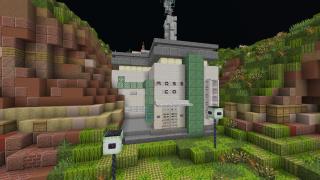
Ultra Iron Farm (Minecraft 1.21–1.21.10, Java only)

Compact and efficient iron farm with sorting + auto-crafter, designed for survival worlds and servers.

📦 Quick Install

  • Litematica (Java) – place the .litematic file in /schematics/ → load in-game with Litematica → build by layers.
  • WorldEdit .schem (Java) – put the .schem file in /worldedit/schematics/ → //schem load Ultra_Iron_Farm_ → //paste.
  • World – copy the world folder from the ZIP into /saves/ → launch Minecraft → open the map.

⚠️ Note: villagers / beds (and any “living parts”) are not included in block counts — follow the video for the full setup.

📃 Compatibility & Contents

  • 🎮 Game: Java Edition ✅ | Bedrock ❌
  • 🧪 Tested Versions: 1.21 → 1.21.10
  • 📦 Files Included: .litematic, .schem, world download (ZIP), README

🎥 Showcase

Video preview: https://youtu.be/kNkSVX2lkm0

✨ Features

  • ⛏️ Iron farm (golems) with poppy collection
  • ⚙️ Auto-crafter + sorting/storage to fully process the output
  • 📐 Compact footprint: 60 × 60 × 46 blocks
  • 🔢 Blocks (non-air): 4,141
  • 🧱 Layer-by-layer friendly (Litematica-ready)

🌍 Community & Credits

  • 🤝 Join the community: https://discord.gg/wZrWXBB9BJ
  • 👤 Original creator: TheySix
  • 🧱 Adaptation & release: Courone

Dimensions
  • X: 60
  • Y: 46
  • Z: 60
  • Total blocks: 4141
Available Downloads
8d725ae40001_Ultra_Iron_Farm_.litematic
v1.0
Resource List Convert to .mcstructure
14fdbc44d759_Ultra_Iron_Farm_.schem
v1.0
Resource List
Comments

You must be logged in to post comments.

zerda 29th December 2025
and the video is down
zerda 29th December 2025
yo i made it but what do I do for the storage system I see you got impulsesv auto sorter but what do I do to set it up?